



 Support our online development, and advance our onground research initiatives in free market economics, as we seek to showcase the brightest Next-Gen minds.
THE ME-P DISCLAIMER: Posts, comments and opinions do not necessarily represent iMBA, Inc., but become our property after submission. Copyright © 2006 to-date. iMBA, Inc allows colleges, universities, medical and financial professionals and related clinics, hospitals and non-profit healthcare organizations to distribute our proprietary essays, photos, videos, audios and other documents; etc. However, please review copyright and usage information for each individual asset before submission to us, and/or placement on your publication or web site. Attestation references, citations and/or back-links are required. All other assets are property of the individual copyright holder.
Support our online development, and advance our onground research initiatives in free market economics, as we seek to showcase the brightest Next-Gen minds.
THE ME-P DISCLAIMER: Posts, comments and opinions do not necessarily represent iMBA, Inc., but become our property after submission. Copyright © 2006 to-date. iMBA, Inc allows colleges, universities, medical and financial professionals and related clinics, hospitals and non-profit healthcare organizations to distribute our proprietary essays, photos, videos, audios and other documents; etc. However, please review copyright and usage information for each individual asset before submission to us, and/or placement on your publication or web site. Attestation references, citations and/or back-links are required. All other assets are property of the individual copyright holder.


A SPECIAL ME-P REPORT
Practical “Tips and Pearls” from the Trenches
[Part One]
By Shahid Shah MS http://www.healthcareguy.com
 When getting demonstrations from vendors, the only way to understand the value for the money being spent or invested is to measure and communicate the productivity improvements that IT is supposed to deliver.
If you cannot measure how much time something takes before technology is implemented you will never know whether or not the purchase of any technology was a wise investment.
Some of the measurements you should consider are:
- how long it takes to pull up a patient chart
- how long it takes to update common data elements within a chart (meds, problems, etc.)
- how long an appointment takes to schedule
- how many patients are seen on a daily basis
- how much data is being captured per patient visit
- how long the check in and check out processes take
- how much time spent on non-essential phone calls (better handled by automated email?)
- how much time a physician spends on non-clinical activities
The actual items that you measure will depend on the tasks that you would like to automate; the simple listing of the tasks that you would like to automate often provides enough basic measurement metrics that you can perform a before and after comparison.
Vendor Demonstrations
When bringing vendors and for demonstrations or discussions you should lay out your workflow and your processes and share with them the kinds of tasks you would like to automate and the kind of staff productivity you are looking to improve and make your vendors focus on what’s important to you and not what features and functions they have in their solutions. Just remember the rule if you don’t measure you will never know whether you made an investment or simply spent money on something you didn’t need. If you don’t know how well you’re doing and where you want to improve vendors can give you any numbers and they will sound good to you.
Here are some general tips for making sure you get good demo’s:
- Demonstrations from vendors should not be about their software, but about how their solution benefits you. Make sure they spend most of their time talking about you, your practice, how their solution matches your practice, why each feature they are showing is important to your specialty and staff, and why they won’t fail in your office. Each time they talk about a general feature or function, bring them back to your practice.
- When vendors talk about saving money and increasing productivity keep in mind that some money comes in the form of hard cash for the purchase of equipment and software but even more money will be spent in terms of early loss of productivity as new solutions are installed and staff becomes acclimated to it and potential loss in productivity forever if the wrong processes and steps are automated.
- Force vendors in their demonstrations to talk about their failures in past installations – how many times were they removed/deinstalled, why did failures occur in the past, how did they recover from inevitable problems? The more a vendor can talk about why things go wrong and how they can help right the ship, the more likely they can help you out the jams you will get into.
To save you time, take 30 minutes and create a document that will tell vendors what you want them to show you in a demo and make the follow your script, not theirs.
Here are some tips for helping vendors demo to you:
- See if you can do the first demo over the phone and web meeting software like WebEx or GotoMeeting. Remote demonstrations make more efficient use of time – the second or third demonstrations when you’re narrowing down selections are better in person.
- Tell them there is no need for detailed company introductions and that you have no desire to hear that the vendor’s founders have found the secret sauce to healthcare technology that will save the healthcare industry. Vendors think you care about that stuff and will waste much of your time unless you make sure your wishes to not hear that are known in advance. They will not think you’re rude, they will thank you.
- All medical records software do generally the same thing, they just do them in sometimes different ways and that’s what you care about – how they’re different. You’ll want to tell them to focus on how they different from other EMRs but not let them focus on competitors early on. Do this towards the end when you better understand their product and can ask more specific questions.
- If the sales person wants to talk about the company, ask him to focus on the size of their service staff relative to their R&D staff, whether they provide in person phone support, do they have web-based support with screen sharing, and how much it will cost you to get support when you need it. While you’ll never talk to the CEO or founders of a vendor, you’ll definitely talk to their service staff so do ask about it.
- Take the keyboard from the sales person. Never let a sales person drive the keyboard in a demo, you should do it yourself or have a computer-proficient staff member drive it.
- Within the first 30 seconds of the demo, make sure you are shown how to lookup a patient by name and date of birth. If it takes more than 30 seconds to launch the app, log in, and type in a patient name or date of birth, and get to a chart then you should be disappointed.
- Once you’re at the demo patient screen, try to make sense of it without letting the sales person talk and show you around. If there are too many fields and you’re getting confused, it’s probably not intuitive and you should be cautious. Again, don’t let the sales person show you what you don’t understand – try to figure it out yourself.
- In the demo patient screen, can you find the face sheet, meds, problem lists, procedures, past documents, faxes, lab results, and other documents without help from the vendor?
- Within the first three minutes of the demo, make sure you see how to add meds, problems, and procedures to an existing patient. These are common tasks and shouldn’t take long.
- Within the first seven minutes of the demo, make sure you see how to add a note to the chart. This is how you’ll start to interact and input data into the system.
- Within the first fifteen minutes of the demo, create a new patient record and try to reproduce a sample patient chart in the system. Use an anonymized patient chart and try to recreate it during the vendor’s demo.
- Now is the time to ask about all the other features that you care about and want to see demonstrated. Try not to ask about features just to see if they have it; tie it to one of your metrics and tell them why you need it.
- If you liked what you saw, now is the time to ask them what other customers they have and their recent customer wins, how they compare with competitors, how much they cost, and related questions. You’ll understand the vendor better once you’ve tried the software.
Key focus areas for your demonstrations
Sales people for vendors give demo’s hundreds of times and each demo is the same for almost everyone and it focuses on their product. Your job is to focus them into the following key areas that are of concern to you:
- Chart access. You will want to know how patient charts indexed, searched, and stored. Ask how they handle lost charts and multi-user access to the same chart (meaning can multiple people simultaneously view and update a chart). Inquire about how charts can be accessed on a mobile phone, on a web browser at your house, on a workstation at a hospital you have privileges at, or on your laptop while you’re in CME training. An EMR that doesn’t give you fast access to your charts from everywhere on any kind of device is going to limit you. Ask them to allow you to point your iPhone to a sample chart and see how it will look.
- Data entry and document creation. Ask over and over again how data gets into the system; will it be a model that allows you to dictate into a phone and have the results show up in the EMR or will it be through voice recognition where the computer is trained and tries to understand what you say and automatically and immediately converts your speech into text for the EMR? Be sure to ask to what extent your voice can create notes in their system. The most common input mechanism outside of voice dictation is “point and click” templating where you choose between many options by pointing and choosing patient symptoms, observations, and other details and the computer creates the notes for you. For all normal findings the software can create the standard notes but for all abnormal findings you either enter free text or dictate. The point and click model is very popular but is a time-consuming activity. Another technique is handwriting recognition on a tablet – if you can write fast enough on touch screen device or can point and click fast it can be something that you can use. All these techniques are important to cover in a demo so you can decide what’s best for you.
- Data backups. If they are a cloud provider, ask them during the demo to show you how you can easily get access to the database behind the user interface to get your data out anytime you want to. Ask the cloud vendor their disaster recovery strategy – what happens if their primary site is inaccessible, how do you access the data? If your EMR is on-premises on a server, ask them about how they help you perform backups of the server either locally or over the Internet. If the EMR vendor says backups are your problem and doesn’t give you a strategy or guidance you’ll have more to worry about.
- Patient portals and personal health records (PHRs). Patient engagement and ability for patients to directly connect with you and view their records through your EMR is an important capability. During the decision-making process be sure that for no extra cost patients should be able to see their personal health record (PHR) as another view of your EMR.


Other considerations for your demonstrations
When you are looking to capture metrics and figure out which areas of your practice needs to be automated, take a look at the following general areas and make sure that when you are getting a demonstration you do so in a manner that fits the actual needs of your practice rather than what the software developers and consultants might think you need. If you don’t focus on your business problems than the vendors and consultants will focus you on what they think is important rather than what actually might be important to you. You’re better off reducing the number of areas you get demonstrated versus expanding.
PART TWO: How EMR Vendors Mis-Lead Doctors [Part 2 of 2]
RELATED:
- Integrating Clinical Pharmacists into the Medical Home: Measuring Clinical Impact
- NCQA patient centered medical home recognition
- Patient-Centered Medical Homes: The Promise and the Reality
- Why healthcare should embrace the digital revolution
- Jonathan Bush on fixing health care system
- Avik Roy on Reference Pricing in Obamacare
Conclusion
Your thoughts and comments on this ME-P are appreciated. Feel free to review our top-left column, and top-right sidebar materials, links, URLs and related websites, too. Then, subscribe to the ME-P. It is fast, free and secure.
Speaker: If you need a moderator or speaker for an upcoming event, Dr. David E. Marcinko; MBA – Publisher-in-Chief of the Medical Executive-Post – is available for seminar or speaking engagements. Contact: MarcinkoAdvisors@msn.com
OUR OTHER PRINT BOOKS AND RELATED INFORMATION SOURCES:
- DICTIONARIES: http://www.springerpub.com/Search/marcinko
- PHYSICIANS: www.MedicalBusinessAdvisors.com
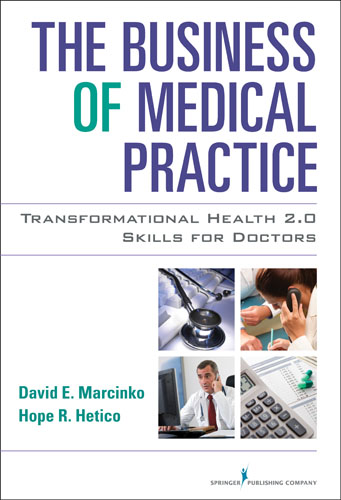
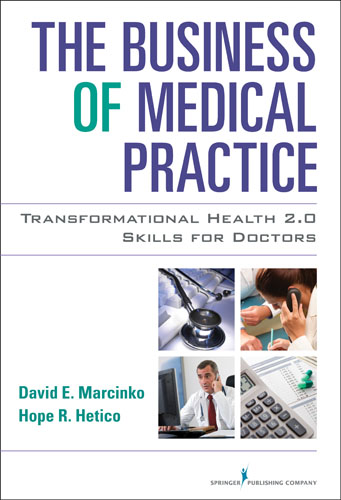
- PRACTICES: www.BusinessofMedicalPractice.com
- HOSPITALS: http://www.crcpress.com/product/isbn/9781466558731
- CLINICS: http://www.crcpress.com/product/isbn/9781439879900
- ADVISORS: www.CertifiedMedicalPlanner.org
- BLOG: www.MedicalExecutivePost.com
- FINANCE:Financial Planning for Physicians and Advisors
- INSURANCE:Risk Management and Insurance Strategies for Physicians and Advisors


Share this:

Filed under: Information Technology | Tagged: electronic health records, EMRs, Shahid Shah | 2 Comments »








 The Leading Business Education Network for Doctors, Financial Advisors and Health Industry Consultants